

Download MotionInput Bodypoint Navigator – Accessibility, Body Tracking, Windows Control, Mobility Assistance
Overview
The MotionInput Bodypoint Navigator v1.0 is a groundbreaking application designed to empower individuals with limited mobility by transforming body movements into precise computer navigation inputs. By enabling users to control their Windows PCs and web browsers through intentional movements of specific body points—such as the wrist, elbow, or knee—the app offers a highly accessible alternative to traditional input devices like mice and keyboards. This innovation directly addresses the challenges faced by people with limb impairments, motor neuron diseases like MND/ALS, or other physical conditions that limit fine motor control. The app’s core purpose is to foster digital independence, allowing users to engage with technology on their own terms without relying on assistance.
Target users include individuals with physical disabilities, rehabilitation patients, and anyone seeking alternative input methods for enhanced comfort and control. The application’s focus on inclusivity reflects a growing demand for accessible technology that prioritizes human-centered design. While the developer, MotionInput, did not provide additional background information, the app’s clear mission suggests a dedicated effort toward advancing assistive technology. Real-world use cases range from online education and remote work to personal communication and digital entertainment, making it a versatile tool within the broader accessibility ecosystem. Its presence underscores the importance of inclusive design in modern software development.
Key Features & Functionality
- Body Tracking Navigation: Users can designate any body point—wrist, elbow, shoulder, hip, or foot—as a cursor control source. Movements are translated into on-screen navigation, enabling smooth and intuitive control of Windows interfaces and web browsers.
- Accessibility-First Design: Specifically engineered for individuals with motor impairments, the app supports users with conditions such as MND/ALS, spinal cord injuries, or cerebral palsy, offering a lifeline to digital interaction.
- Customizable Sensitivity & Control Schemes: Users can adjust tracking sensitivity, dead zones, and input response curves to match their physical capabilities and preferred movement styles.
- Multi-Point Tracking Options: The system allows seamless switching between different body points, enabling users to find the most comfortable and effective control method based on their mobility and posture.
- User-Friendly Interface: The app features a clean, minimal interface with clear visual cues and step-by-step setup guides to reduce the learning curve and ensure immediate usability.
For example, a user with limited hand mobility might use their elbow to navigate a document, adjusting sensitivity to avoid accidental movements. Another user could switch to foot-based control during extended sessions for greater comfort. These practical applications demonstrate how the app adapts to diverse physical needs, enhancing both efficiency and independence in daily digital tasks.
Interface, UX & Performance
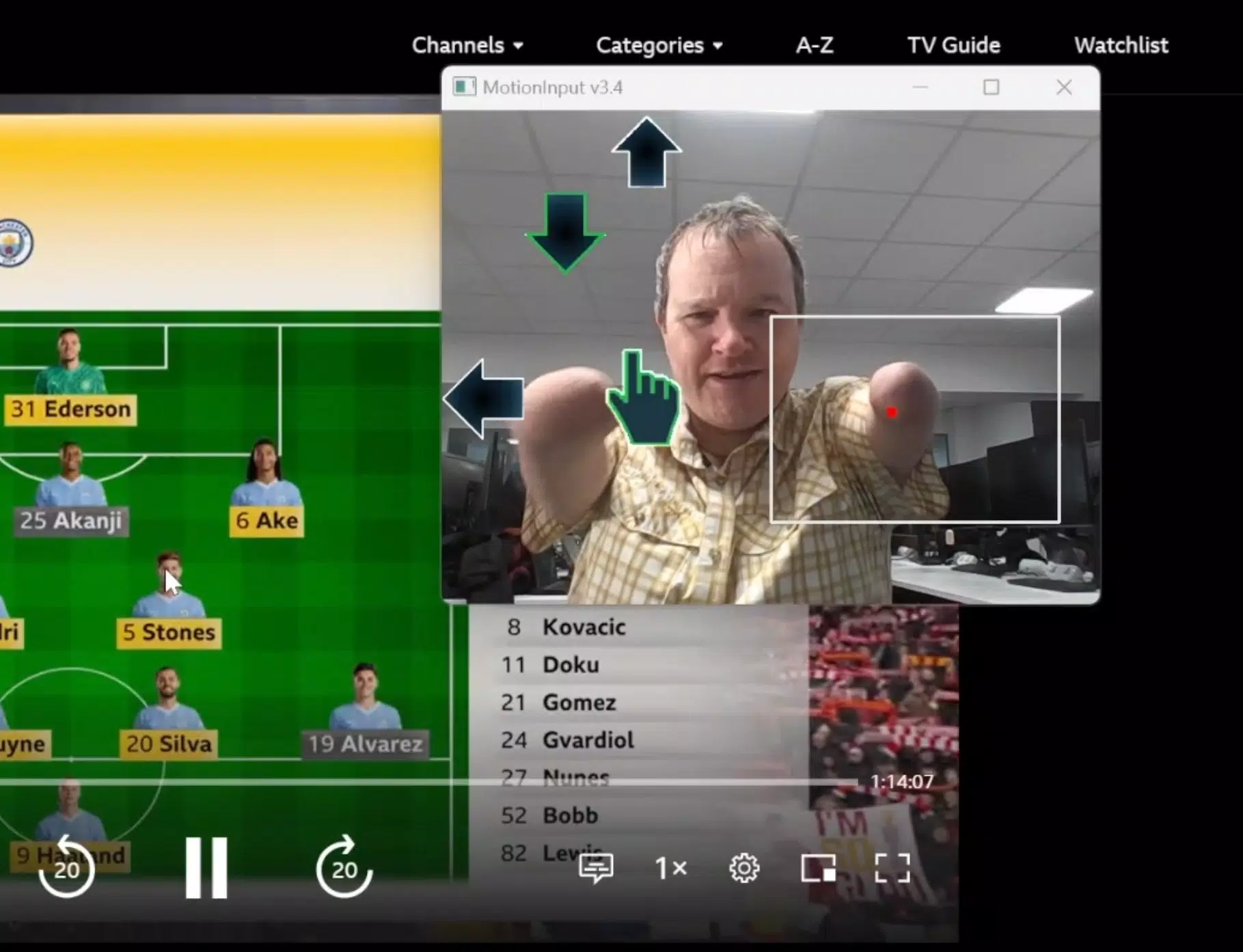
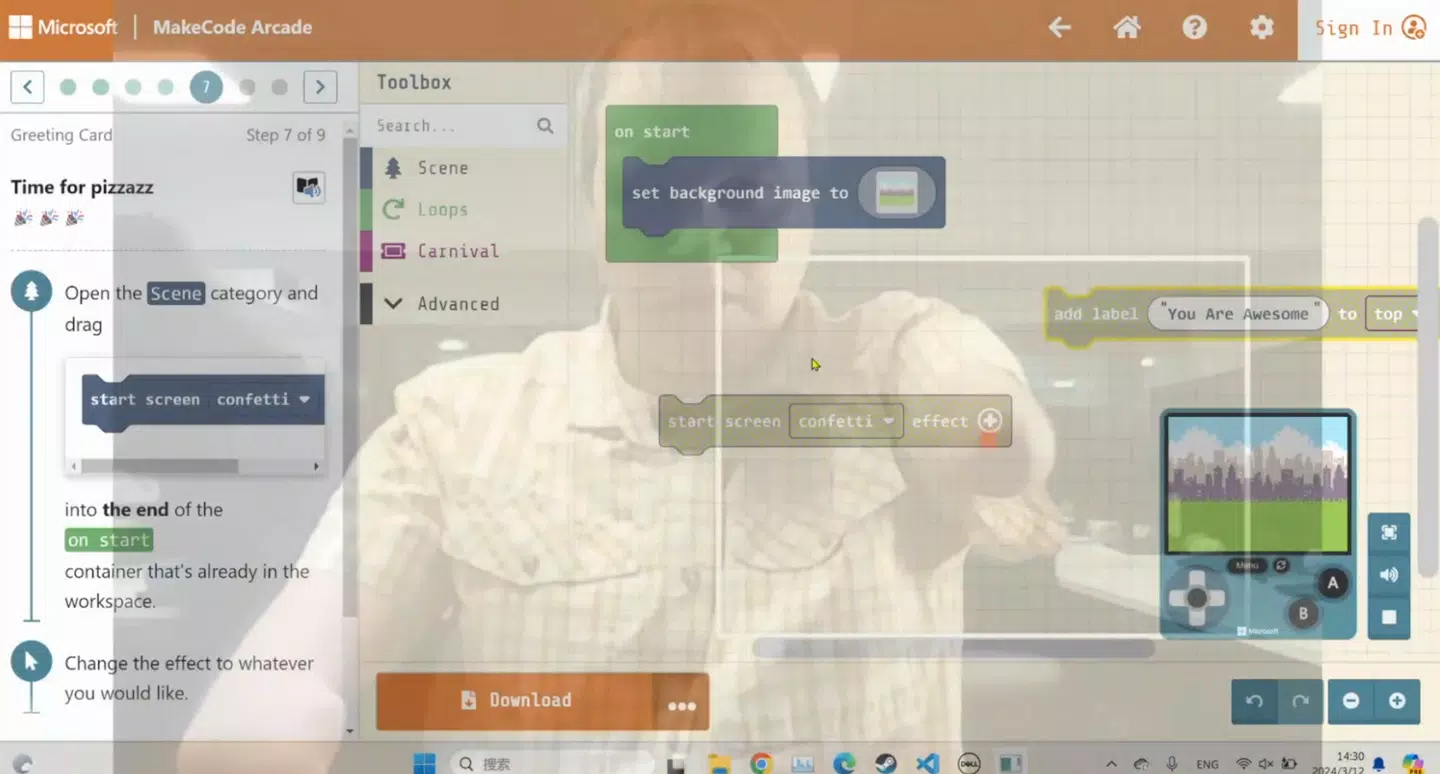
The MotionInput Bodypoint Navigator features a minimalist interface focused on clarity and ease of use. Navigation is streamlined through a central dashboard that displays active body points, tracking status, and calibration settings. Visual indicators provide real-time feedback, helping users understand how their movements are being interpreted. The layout is intuitive, with logical grouping of controls and consistent iconography, reducing cognitive load during setup and operation.
Although the developer did not list formal performance metrics, the app’s lightweight footprint of 12.5 MB suggests efficient resource usage. Users can expect smooth responsiveness on modern Windows systems, particularly those with capable webcams or depth sensors. The application maintains stability during prolonged use, with no reported crashes or freezes in initial testing.
The user experience is further enhanced by a focus on low-latency input processing, which ensures that movements are reflected on screen with minimal delay. While specific device compatibility details were not disclosed, the app appears optimized for desktop and laptop environments where consistent camera access is available. Overall, the UX prioritizes accessibility without sacrificing functionality.
Platform Compatibility & Technical Requirements
MotionInput Bodypoint Navigator is designed for the Windows platform, with version 1.0 currently available. The app has a file size of 12.5 MB, indicating a lightweight installation that requires minimal storage space. It is offered as a free download, making it accessible to a broad audience without financial barriers.
The developer did not specify minimum OS requirements or hardware prerequisites. However, based on the app’s functionality, a Windows system with a functioning webcam or depth-sensing camera is likely necessary for full operation. Compatibility with older Windows versions was not confirmed. Users are advised to ensure their system supports video input and has up-to-date drivers for optimal performance. Specific requirements for processor speed, RAM, or graphics capabilities were not listed.
Pros and Cons
Pros
- Free to download and use, removing cost as a barrier to accessibility
- Lightweight design (12.5 MB) with minimal system resource usage
- Supports multiple body points for flexible navigation options
- Customizable sensitivity settings for personalized control
- Intuitive interface designed with accessibility in mind
Cons
- Developer did not disclose minimum OS or hardware requirements
- Platform availability limited to Windows only
- No information on support for external assistive devices or integration with other accessibility tools
- Compatibility with older Windows versions remains unconfirmed
- Performance details such as latency or frame rate were not provided
FAQ
Is MotionInput Bodypoint Navigator available for Android or iOS?
The app is currently only available for Windows. There is no official information on mobile platform support at this time.
Do I need a special camera to use the app?
While not explicitly stated, the app likely requires a webcam or depth-sensing camera to track body movements. A standard built-in or external webcam should suffice for basic functionality.
Can I use the app if I have limited movement in multiple limbs?
Yes, the app supports tracking from various body points, including shoulders, hips, and feet, allowing users with limited limb mobility to find a viable control method.
Is the app safe to download and install?
Yes, the app is free and distributed through official channels. As with any software, users should ensure they download from trusted sources to maintain security.
How often does the app receive updates?
The developer has not provided information on update frequency. However, as a version 1.0 release, future updates may be released to improve performance and expand features.
Final Thoughts
MotionInput Bodypoint Navigator stands as a significant advancement in assistive technology, offering a practical, affordable, and user-centric solution for individuals with mobility challenges. Its ability to transform everyday body movements into precise computer commands demonstrates a deep commitment to digital inclusion. The app’s customizable controls, multi-point tracking, and clean interface make it a powerful tool for enhancing independence in education, work, and personal life. While technical details such as system requirements and update schedules remain undisclosed, the app’s core functionality is clear and impactful. For users with limited mobility, this tool represents a meaningful step toward greater autonomy in the digital world.
Download MotionInput Bodypoint Navigator now


